
You press a button on the remote but nothing happens on the TV?
Make sure your phone is connected to the same Wi-Fi network as your Livebox, and that your TV decoder is turned on.
Run a new scan for the decoder from the app Settings: on the decoder card, tap « Change » (or « Reconfigure the app »).
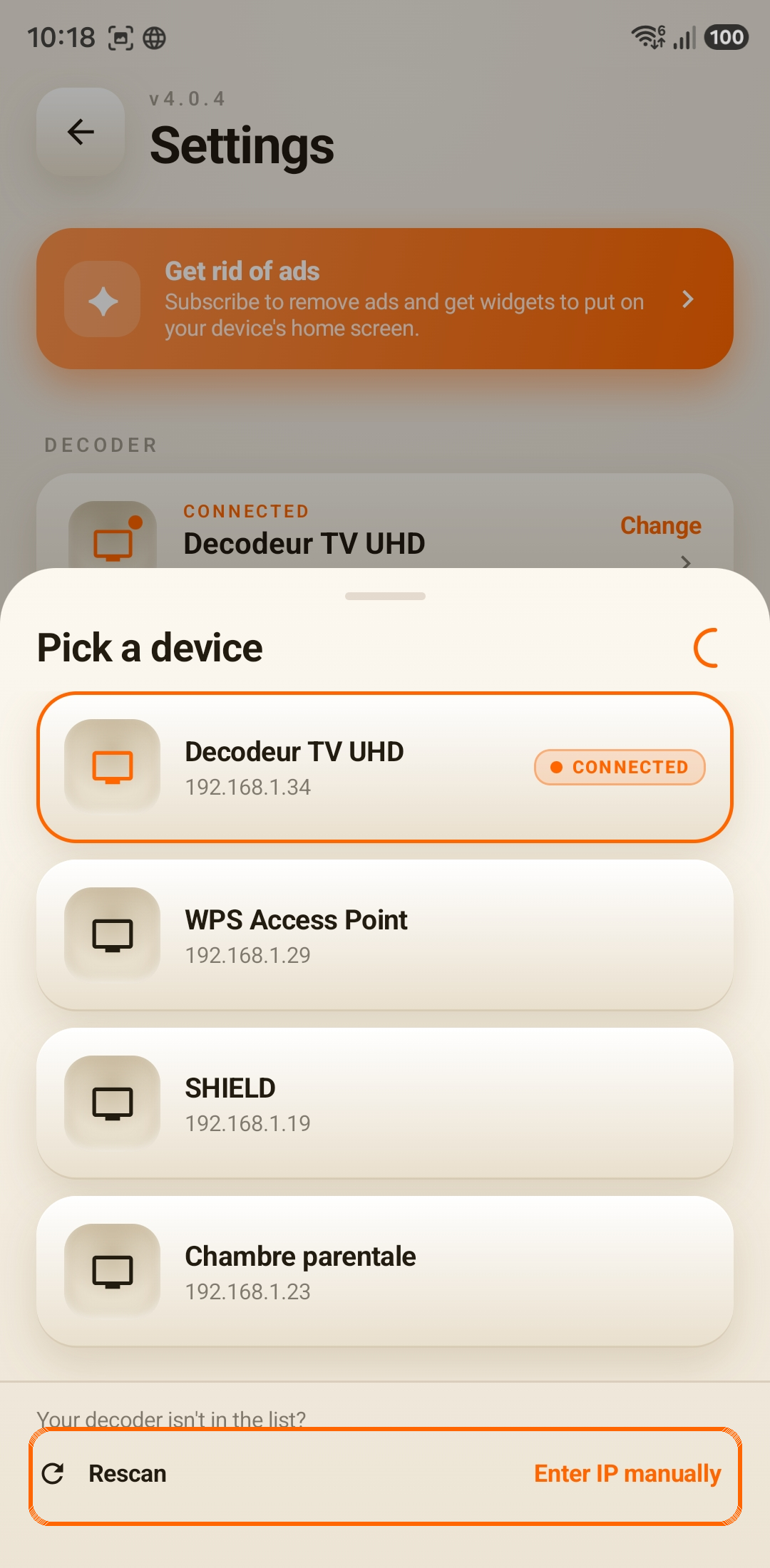
Select your decoder from the list. If it doesn't appear, tap « Rescan » a few times (Wi-Fi can take a moment to list every device). Its name may vary depending on your Livebox version.
If it still can't be found, power-cycle your decoder and rescan.
If that isn't enough, choose « Enter IP manually » and enter your decoder's IP address.
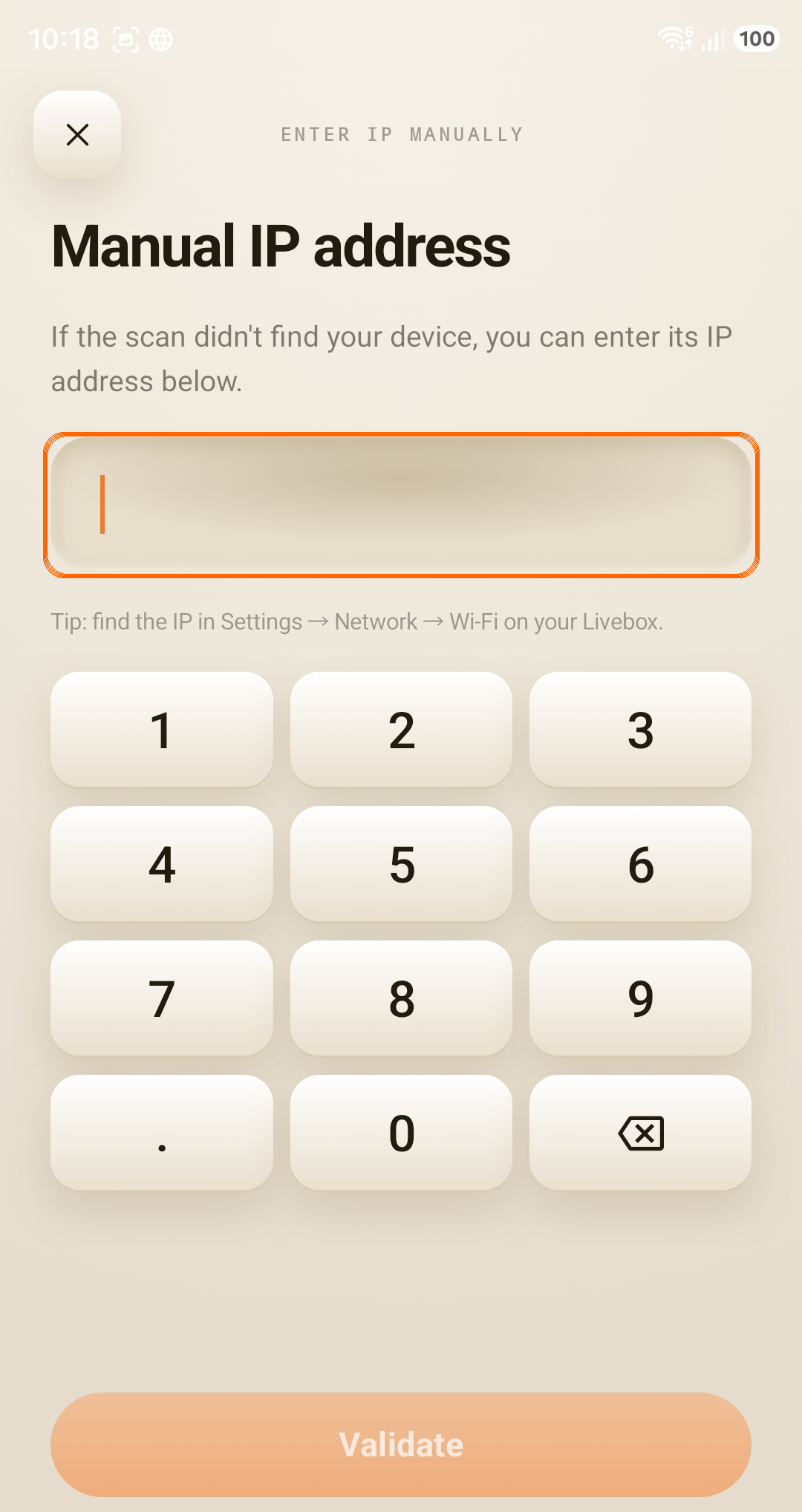
Follow this link to learn how to find this IP address.